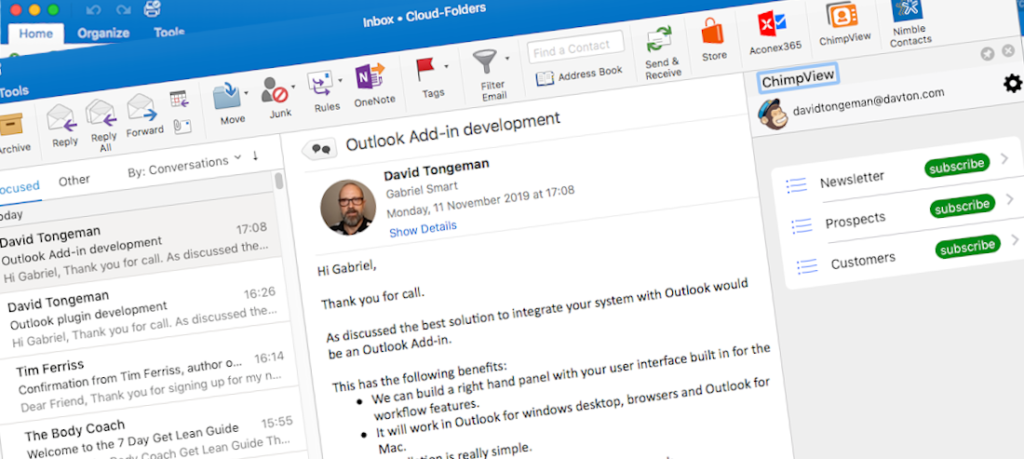
Davton’s highly experienced team will build a working integration
between your SAAS application and Outlook, Exchange and Office 365.
Experienced Developers
Davton’s team of experienced developers take your idea or feature requirement and turn it into a working application, quickly and simply. We have built bespoke Outlook based solutions for 50+ companies, in 15+ countries, on 5 continents.
Integrations your customers will love
Our team are focused exclusively on Outlook and Exchange applications. We can advise you on the best options and methods, help you avoid some of the common problems of working with Outlook, and deliver a working application that your customers will love.
Desktop Plugins
Integrate your application with Outlook desktop. Add features, buttons, synchronization, linking. One plugin for Outlook 2007 – 2016.
Read more about Plugins
Office 365 Add-ins
Integrate with Office 365. One add-in for Office 365 web, Outlook 2013/16 desktop, Outlook for MAC, Outlook for iPhone and Android.
Read more about Add-ins
Server-side Integration
Server side integration with Exchange and Office 365 for your SAAS application. View, update, share and sync, mail, contacts, appointments and more.
Read more about server side integration

Call me or email me for an informal discussion on how we can help you build your integration.
+44 1133 281480 (UK office hours)
email: hello@davton.com
Hear from some of our customers…..
Saleswings (saleswingsapp.com)

Philip Schweizer, CEO & Co-founder, Saleswings
Our lead website tracking platform SalesWings uses Davton technology for its Outlook components, and we couldn’t be happier with Davton’s work.
For a full 2 years after the development, Davton’s solution has required one single maintenance job. The quality of their work and their consultative approach is highly recommended.”
VQ Communications Limited (vqcomms.com)
We found Davton after a spectacularly underwhelming experience with another Outlook plug-in vendor. The contrast could not be greater; the team at Davton are easy (and a pleasure) to work with.
They have lots of expertize in this domain and are predictable. They do what they say they will do; no nasty and negative surprises. They are an excellent partner; we are now several product generations into the relationship with more to come.

Mike Horsley – CEO,
VQ Communications Ltd
Zerospam (zerospam.ca)

David Poellhuber
President, Zerospam
The Davton team delivered on the mark and proved very responsive to comments and requests.
After a few rounds of test, it was easy to organize a quick conference call where developer and end-users were able to have a direct and fruitful exchange.
Davton’s know-how, availability and open communications were instrumental in the quick and successful conclusion of our project.
Tuckers Solicitors (tuckerssolicitors.com)
We needed something that no-one else would ever want. It was a big ask of Davton for them to learn a new industry for the purposes of a single project – but they delivered.
They listened. They learned. They created an initial platform that exceeded expectations and we are continuing to develop transformational capability in our sector based on our initial investment in the Davton team.

Adam Makepeace
Practice Director Tuckers Solicitors
Systems Integrator
Saf – Senior Technical Consultant
We cannot thank the Davton team enough! We needed an Outlook-Plugin to integrate several applications so that they could be accessed directly from within the Outlook application, Davton gave us the perfect solution.
Initially we used another company to develop a plug-in but after great cost and a lot of frustration we eventually contacted Davton, if only we had done this earlier!
From start to finish they handled our project very well, keeping us up to date with progress and giving us access to the code so we could test. The end result was exactly what we needed and in fact the Davton team made several improvements and changes all within the quoted price.
I am already working on the next phase and of course will only be looking to use Davton.